Log archives, mainly environment setup and issue resolving.
Safely Unmounting Unresponsive iOS Simulator Disk Images on macOS
Issue Description
After use in Xcode, the iOS simulator on macOS occasionally leaves behind mounted disk images that become unresponsive and cannot be unmounted through standard methods. This can lead to cluttered disk space and potential conflicts with future simulator sessions.
- Screenshots of the issue:
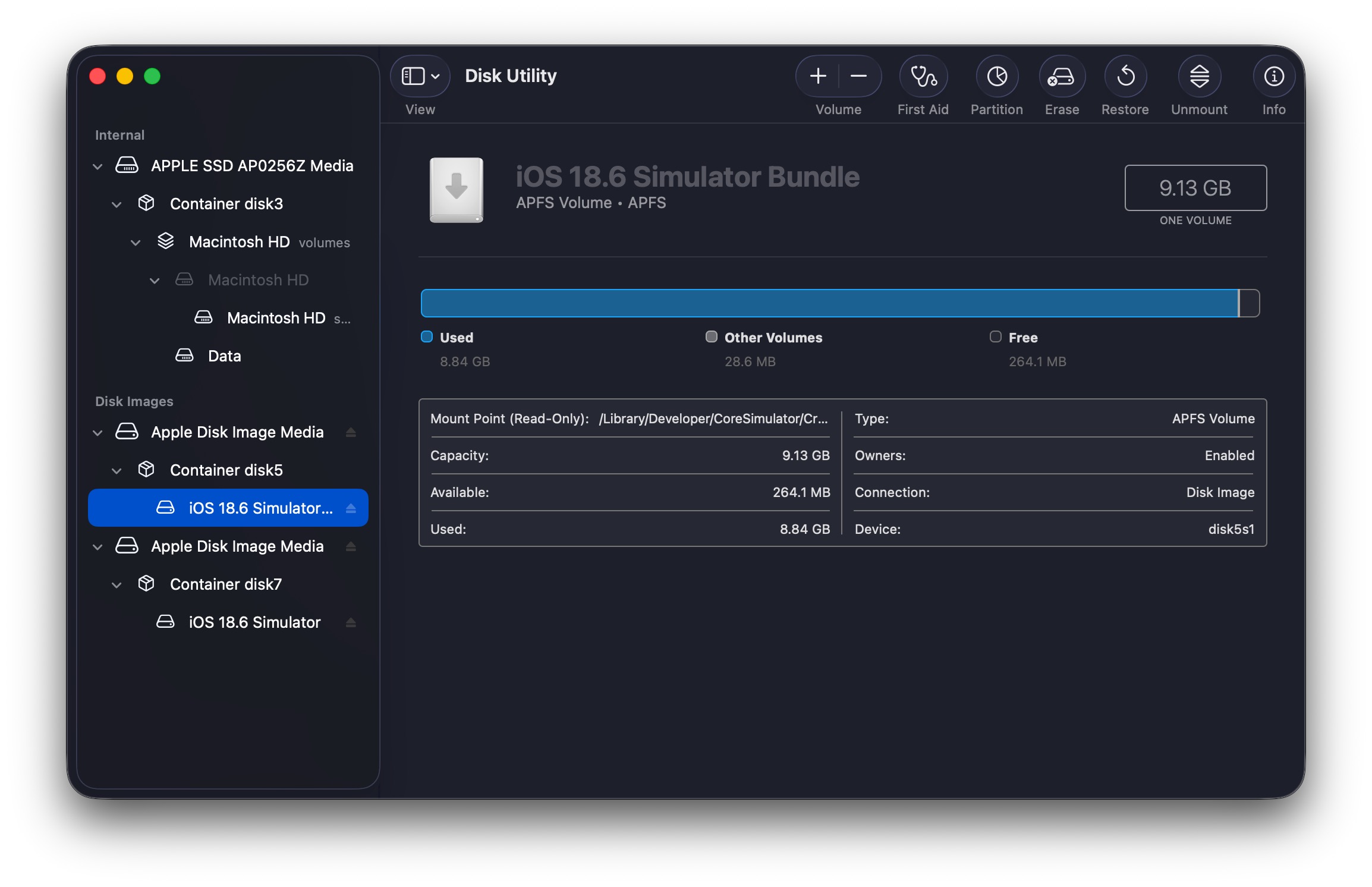
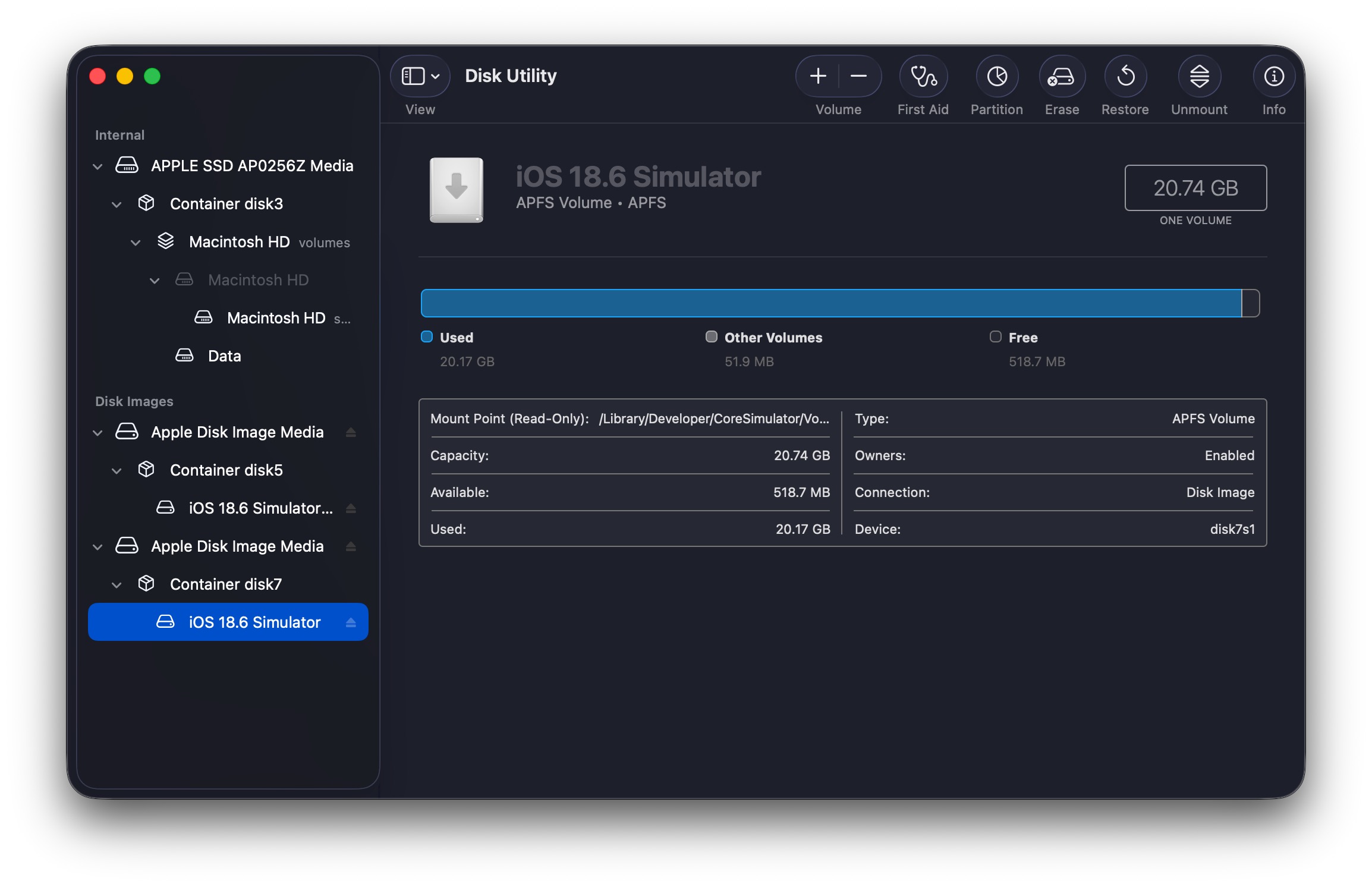
In the example above, it was observed that certain simulator disk images, such as disk5s1 and disk7s1, remained mounted but unresponsive. When attempting to unmount these volumes using Disk Utility, it always prompted saying the volume was in use, even after quitting Xcode and all related processes (the CoreSimulator related processes always reappeared after being killed).
Apple-Compliant MP4 Encapsulation with Chapter Markers and Subtitles via FFmpeg
Objective
Encode and mux assets for video files ensuring compatibility with iOS 26+ and macOS 26+ (Tahoe).
This includes:
- Embedding subtitles in Apple’s
tx3gformat. - Incorporating chapter markers with both text labels and thumbnail images.
1. Chapter Metadata Specification
To ensure chapters are recognized, the metadata file must follow the FFMETADATA header format with timestamps in nanoseconds (or based on timebase).
Resolving Unresponsive Sony Unsubscribe Page via API Bypass
Issue Description
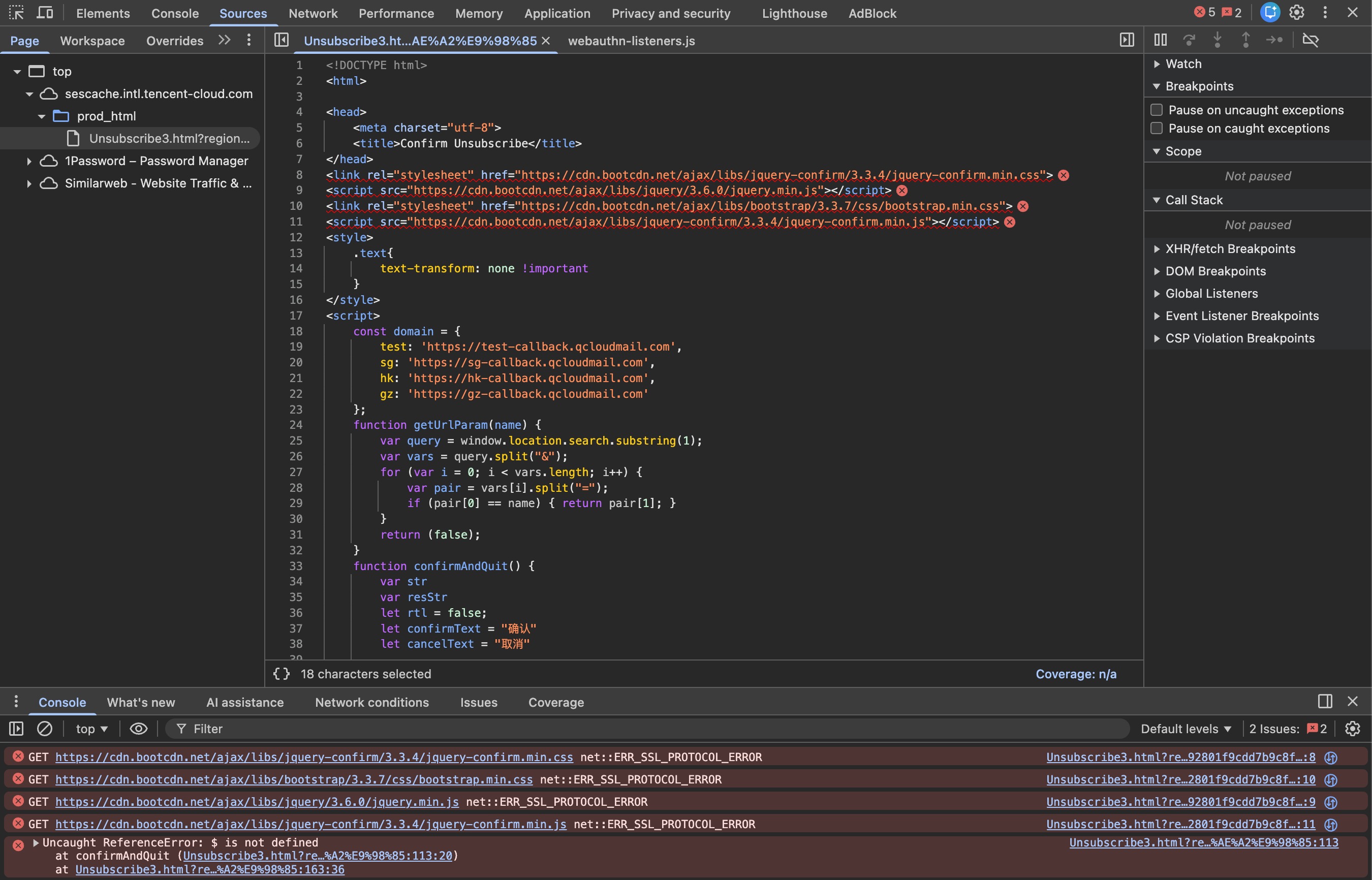
The Sony unsubscription page, hosted on the Tencent Cloud SES (Simple Email Service) infrastructure, failed to load or function correctly. The webpage remained stuck on a blank screen.
-
URL:
https://sescache.intl.tencent-cloud.com/prod_html/Unsubscribe3.html?region=hk&language=1&upn=[USER_TOKEN] -
Screenshot of the issue:
Analysis
Upon inspecting the HTML source code provided, the following architectural issues and logic were identified:
-
External Dependencies: The page relies on external assets from
cdn.bootcdn.net(jQuery, jquery-confirm, Bootstrap)
Zsh History File Encoding Issue with UTF-8 Characters
Issue Description
When opening .zsh_history file via vim, some UTF-8 encoded characters (e.g. Japanese, Chinese characters) are not displayed correctly, and vim shows the fileencoding as latin1 instead of utf-8.
-
For example, the following shows how Japanese/Chinese characters are displayed incorrectly in vim:
2466 : 1762759121:0;locale 2467 : 1762759501:0;echo "ä½<83><80>好" 2468 : 1762759519:0;echo "ã<81><83>³ã<82><83>³ã<81>«ã<81><83><81>ã<81>¯" -
The actual content of the
.zsh_historyfile is as follows:
Solution to Restore Recently Deleted Albums from iCloud Photos Library
Issue Description
During the Beta testing of the new iPadOS 26, I accidentally deleted all albums in my iCloud Photos Library on my iPad, which then synced the deletion to my other Apple devices. This resulted in the loss of all my photo albums, although the photos themselves remained intact in the “All Photos” section.
Solutions
1. Find the Deleted Albums in the Photos.sqlite Database
Find the Photos.sqlite database file in the Photos Library package. The path to the database file is as follows:
Solution to the Failure to Pass Cookies into yt-dlp When Using mpv
Issue Description
When using mpv to play videos from Bilibili, users may encounter issues where mpv fails to pass cookies to yt-dlp correctly, regardless of whether the cookies are already in Netscape format, leading to error messages like the following:
→ mpv --cookies-file="~/bilibili_cookies.txt" --ytdl-raw-options=format=100028+30280 https://www.bilibili.com/video/BV1HMH7z4ES4
[ytdl_hook] ERROR: [BiliBili] BV1HMH7z4ES4: Requested format is not available. Use --list-formats for a list of available formats
[ytdl_hook] youtube-dl failed: unexpected error occurred
Failed to recognize file format.
The format 100028+30280 is a valid format on Bilibili, but only extractable when the user is logged in, which requires the correct cookies to be passed to yt-dlp, which is the default backend for mpv to handle online video playback.