Below you will find pages that utilize the taxonomy term “Apple”
Logs
read more
Apple-Compliant MP4 Encapsulation with Chapter Markers and Subtitles via FFmpeg
Objective
Encode and mux assets for video files ensuring compatibility with iOS 26+ and macOS 26+ (Tahoe).
This includes:
- Embedding subtitles in Apple’s
tx3gformat. - Incorporating chapter markers with both text labels and thumbnail images.
1. Chapter Metadata Specification
To ensure chapters are recognized, the metadata file must follow the FFMETADATA header format with timestamps in nanoseconds (or based on timebase).
Logs
read more
Solution to Restore Recently Deleted Albums from iCloud Photos Library
Issue Description
During the Beta testing of the new iPadOS 26, I accidentally deleted all albums in my iCloud Photos Library on my iPad, which then synced the deletion to my other Apple devices. This resulted in the loss of all my photo albums, although the photos themselves remained intact in the “All Photos” section.
Solutions
1. Find the Deleted Albums in the Photos.sqlite Database
Find the Photos.sqlite database file in the Photos Library package. The path to the database file is as follows:
Logs
read more
Visual Studio Code C/C++ Extension Setup on M1 Mac
Prerequisites
-
Visual Studio Code extension
ms-vscode.cpptools -
Xcode Command-line Tools / Xcode IDE
- To install Xcode Command-line Tools:
xcode-select --install - To install Xcode IDE:
mas install Xcode
- To install Xcode Command-line Tools:
Test Environment
-
Visual Studio Code 1.54.3 (Universal)
- Commit: 2b9aebd5354a3629c3aba0a5f5df49f43d6689f8
- Extension: ms-vscode.cpptools v1.2.2
-
macOS 11.2.3
$ uname -v Darwin Kernel Version 20.3.0: Thu Jan 21 00:06:51 PST 2021; root:xnu-7195.81.3~1/RELEASE_ARM64_T8101 -
Xcode 12.4 (12D4e)
$ clang --version
Apple clang version 12.0.0 (clang-1200.0.32.29)
Target: arm64-apple-darwin20.3.0
Thread model: posix
InstalledDir: /Applications/Xcode.app/Contents/Developer/Toolchains/XcodeDefault.xctoolchain/usr/bin
Setup
Modify the settings.json in Visual Studio Code as shown below
Logs
CloudKit Keychain Database's Crash Problem And Recovering Solution
现象描述
包括但不限于以下表现
1. 异常流量
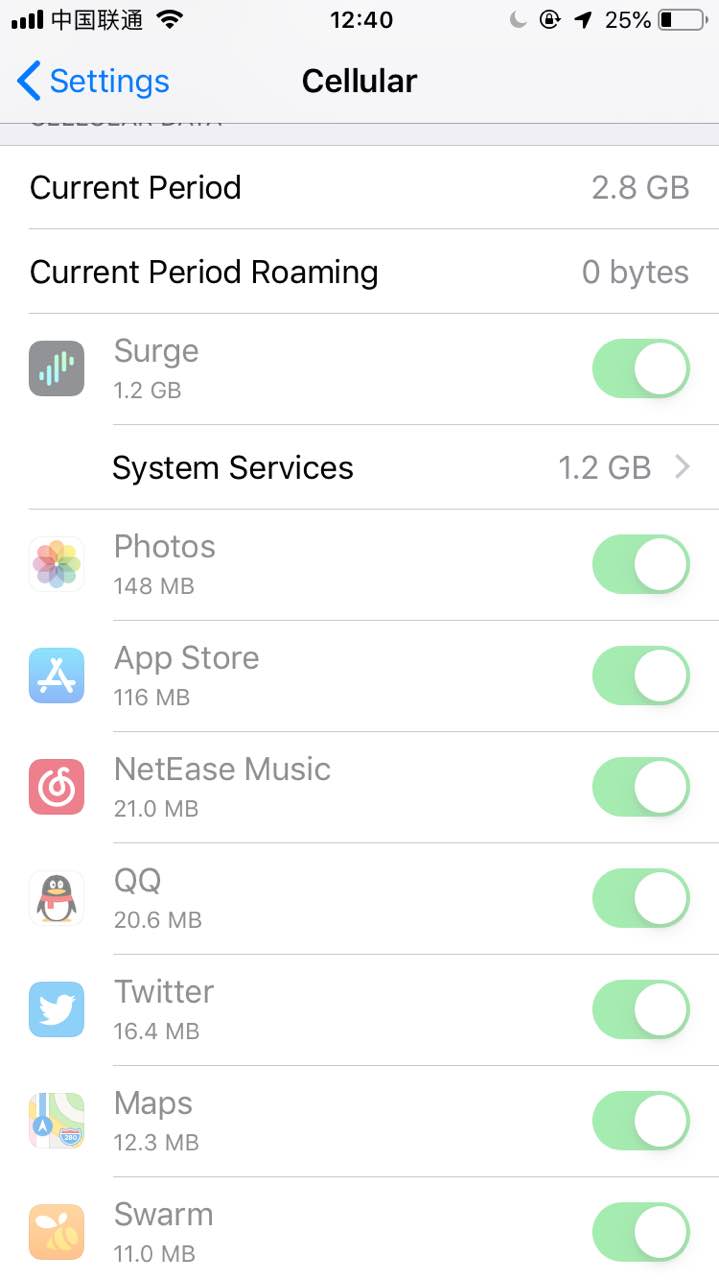
- iOS 出现大量异常流量,如果是在 Cellular 环境下,表现为 Setting > Cellular 中,Cellular Data 栏目出现大量的 System Service 流量,表现在 Documents & Sync 栏目中,如图。
- 若安装了网络代理软件如 Surge,可发现异常流量主要是在与
icloud-content.com通信产生的 HTTPS 下行流量,如图。
2. 设备运行异常且大量发热
- 设备可能会出现极其严重的卡顿,以至于进行难以操作,同时大量发热。
3. 大量第三方应用无法打开
- 大量第三方应用可能会出现无法打开的情况,具体表现为:在 Splash Screen 卡顿,直至 10 秒后被系统强制退出的现象。
目前发现「腾讯系」与「阿里系」应用似乎影响较小,可能 QQ、WeChat、AliPay 等应用仍然可以打开
4. iCloud Keychain 数据库大小异常
- 在 Mac 的
~/Library/Keychains/[UUID]/keychain-2.db可见keychain-2.db大小异常,可能为数百兆字节甚至超过 1 吉字节(正常大小应为几十兆字节)。 - 使用 Sqlite 或相关 Sqlite 的 GUI 软件可见
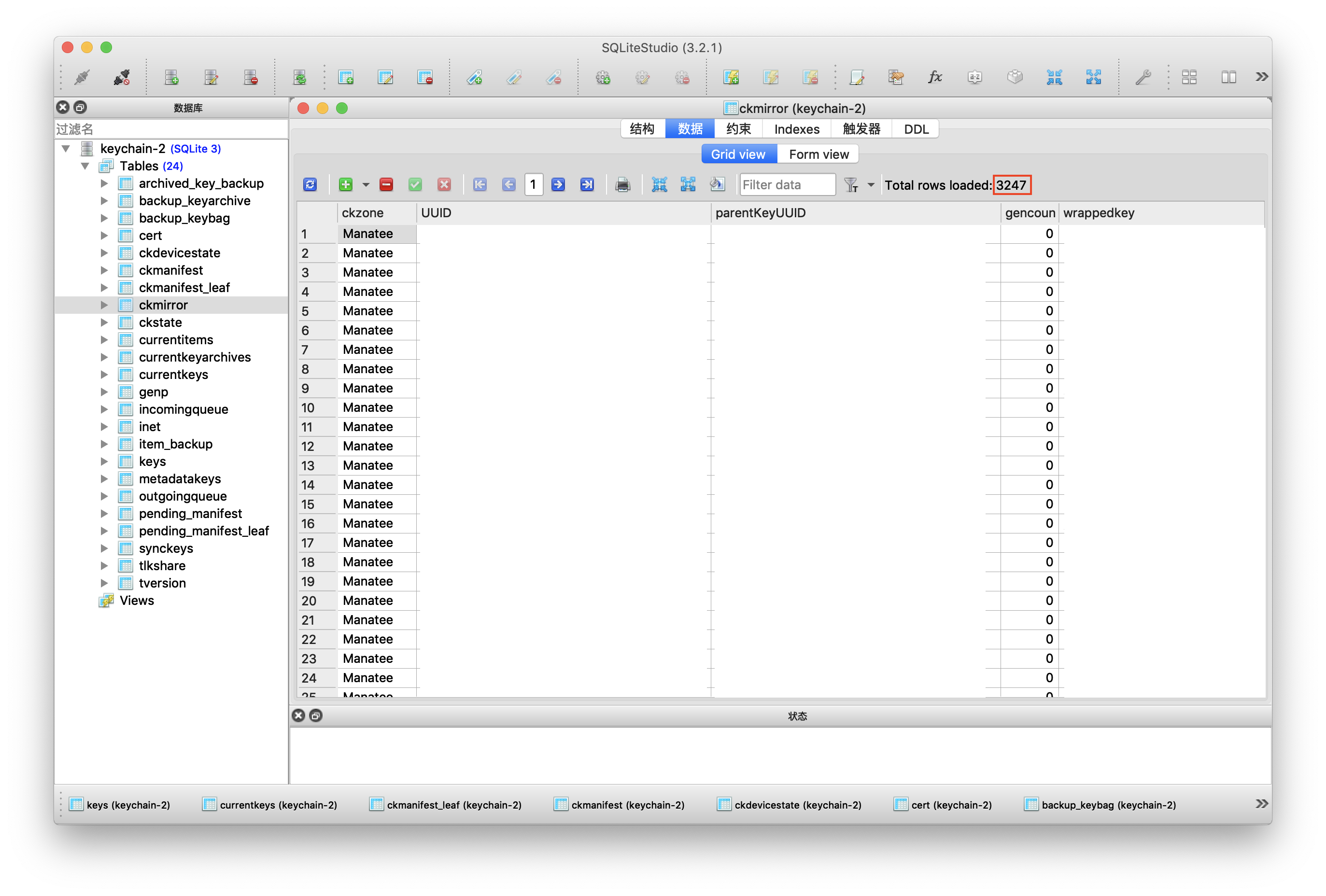
keychain-2.db中表ckmirror的数据项可能多达近 30000,正常情况应为几千条,正常情况如图(图为本人恢复后的截图)。
更详细的现象描述与分析可参考:iOS 异常流量消耗及大范围应用闪退问题的分析
Logs


iWork 版本管理文件清理(HFS+ Only)
13/06/2018 更新
如今在 APFS 下,Apple 似乎已经弃用了这套版本管理逻辑,所以版本管理也不再臃肿。
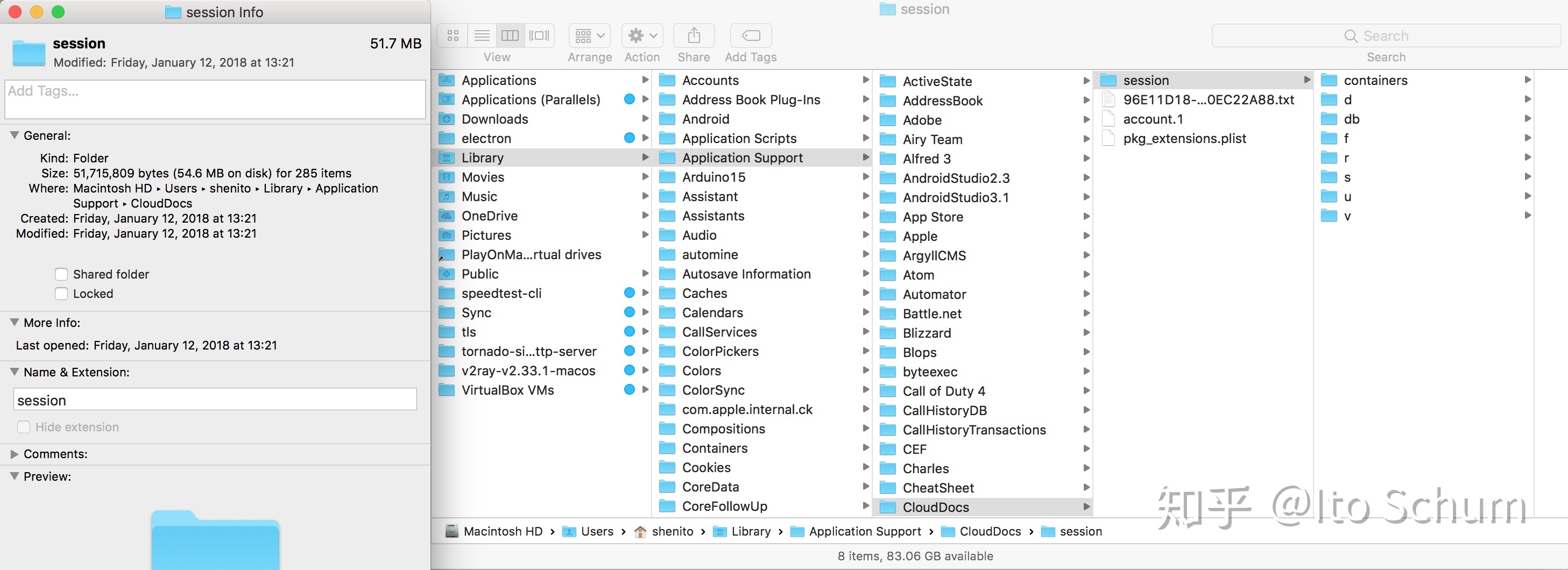
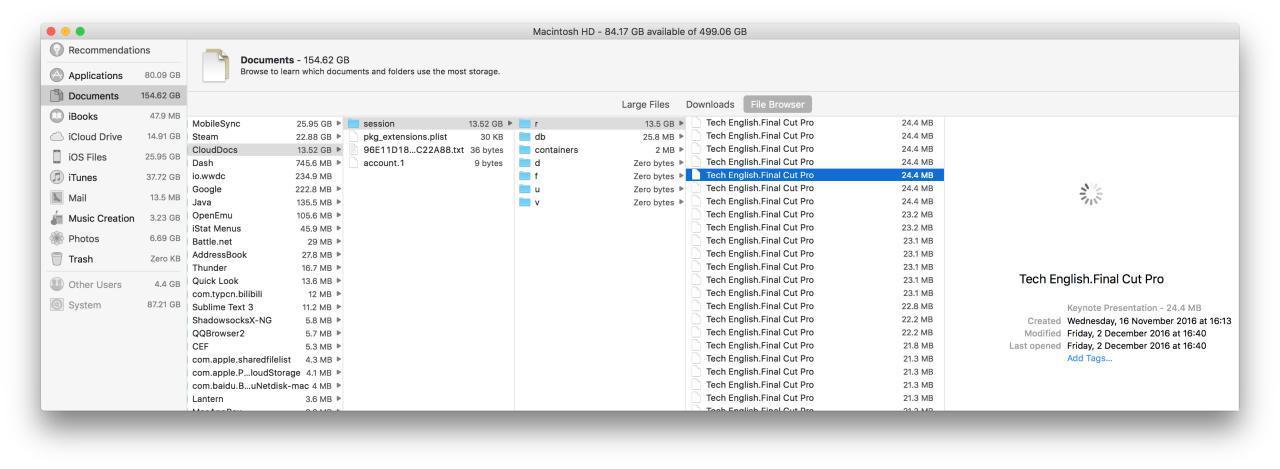
今天打开 About This Mac > Storage > Manage > Review Files > File Browser, 突然发现了 ~/Library/Application Support/CloudDocs/session/r 目录下大量的 iWork 版本管理文件,而且一看容量有 13.5GB(如下图)。
这样来看 iWork 文件华丽的版本管理背后并不光彩,Apple 没有选择增量备份,而是简单粗暴地用副本来完成类似 Time Machine 的版本管理(如封面图)。
之后不论是 File Browser 还是 Finder 都无法删除这些 History Edition 文件(如下图)。
无奈只好用 rm 命令再把文件拖入 Terminal 强删(如下图)。
另外不知为什么此目录下的文件虽然不是隐藏文件,但在 Terminal 中是不可见的,需 ls -a / -al(如下图)。
remove 完较大的 Keynote History Version 文件之后,算是清理出了不少硬盘空间,可能这就是所谓的 Purgeable 文件吧(如下图)。
Essays
从 5s 到 SE
今日收到了网购的美版二手 iPhone SE (A1662, 64GB),而陪伴了我 3 年多的 iPhone 5s (A1528, 16GB) 终于要退居二线了。
在面对一只性能提升如此巨大的 4-inch iPhone,我的内心是震撼的,如同当年我拆开人生中第一只 iPhone(即这只即将退居二线的 iPhone 5s)的包装时一样。
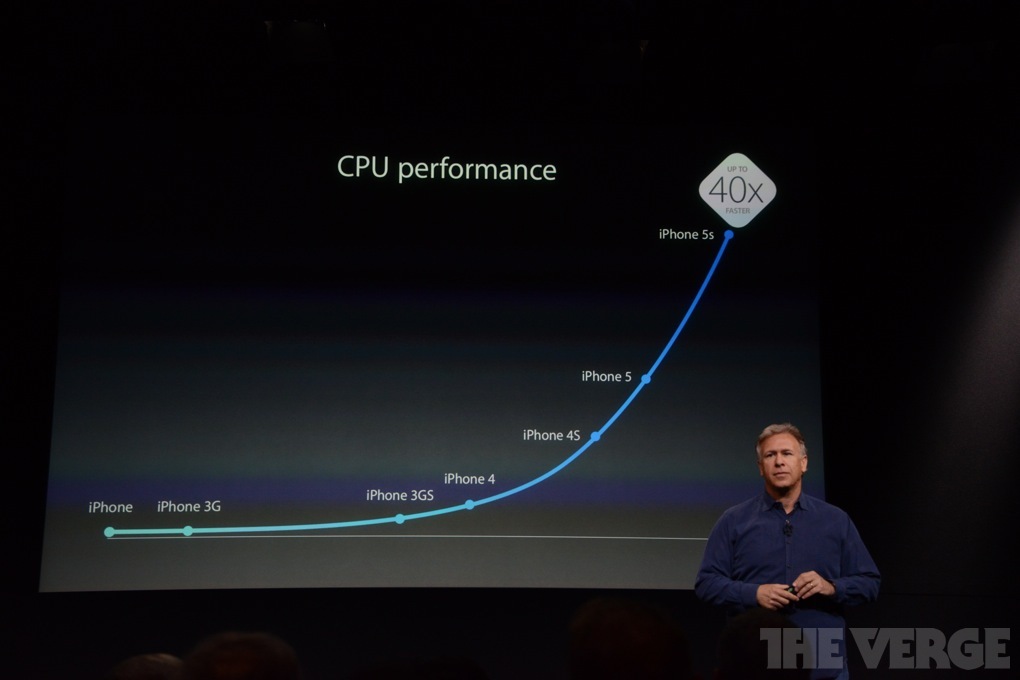
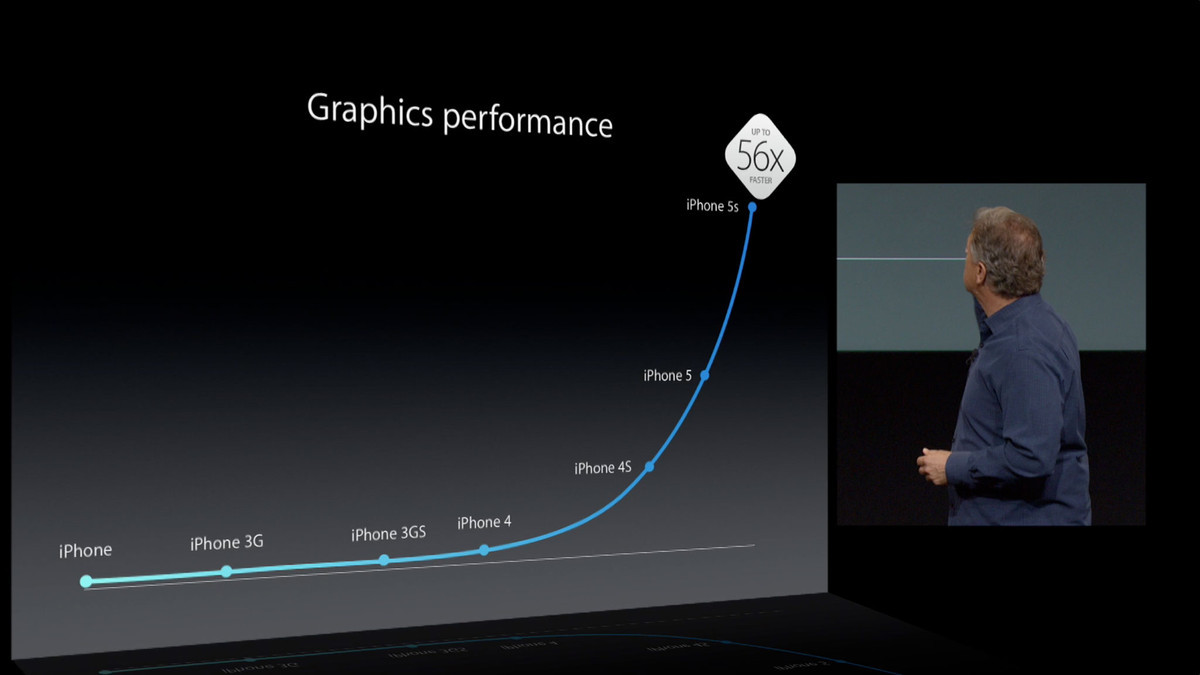
当时我从未想过,我居然能够掌控这样一只 CPU、GPU 性能约为 iPod touch 5th gen. 4 倍的机器,即使它的存储容量仅有 16GB。
(iPod touch 5th gen. SoC 性能参照图中 iPhone 4S)
用着这样一台机器,在 iOS 平台上,我开始了我的非线性剪辑启蒙 —— iMovie。从高中时期到现在,我一直认为 iMovie 是 iOS 平台上最出色的剪辑软件(没有之一),也是靠着 iMovie,我,一个普通的高中生能够在移动设备上完成许多启蒙的剪辑作品。可能正是因为这台 iPhone 5s,正因为 iMovie,让我最后走入了 Final Cut Pro X 的大门。
毫不夸张地说,这一台 iPhone 5s 几乎就是我很长一段时间内,移动计算的中心。
Logs
AirPort Extreme (5th gen.) Powered by Battery
为应对寝室的 “熄灯制度”,本人长期使用一款自带锂电池的便携式无线路由器 iShare,但是受限于体积与成本,路由器本身 WLAN 的速度限制较大(大概不到 20Mbps,远不及寝室宽带的 100Mbps),因此网络体验较差。而日间使用的 AirPort Time Capsule(2013 款)由于变压器内置,只能外接交流电源供电,这使得在夜间使用几乎是不可能的。
为了改善寝室夜间的网络环境,结合以上情况综合考虑后,本人购入了一款二手 AirPort Extreme (5th gen.) (Model: A1408),以下简称 A1408(如文章封面图)。A1408 的电源适配器外置,只需输入 12V 直流电即可,原装电源适配器上标示的额定输入是 12 V,1.8 A。因此,为了保证 A1408 能够整晚(23:00 - 次日 6:30)提供 WLAN,本人另购入一块 8450mah 的 12V 电池(由 18650 电芯组成)。
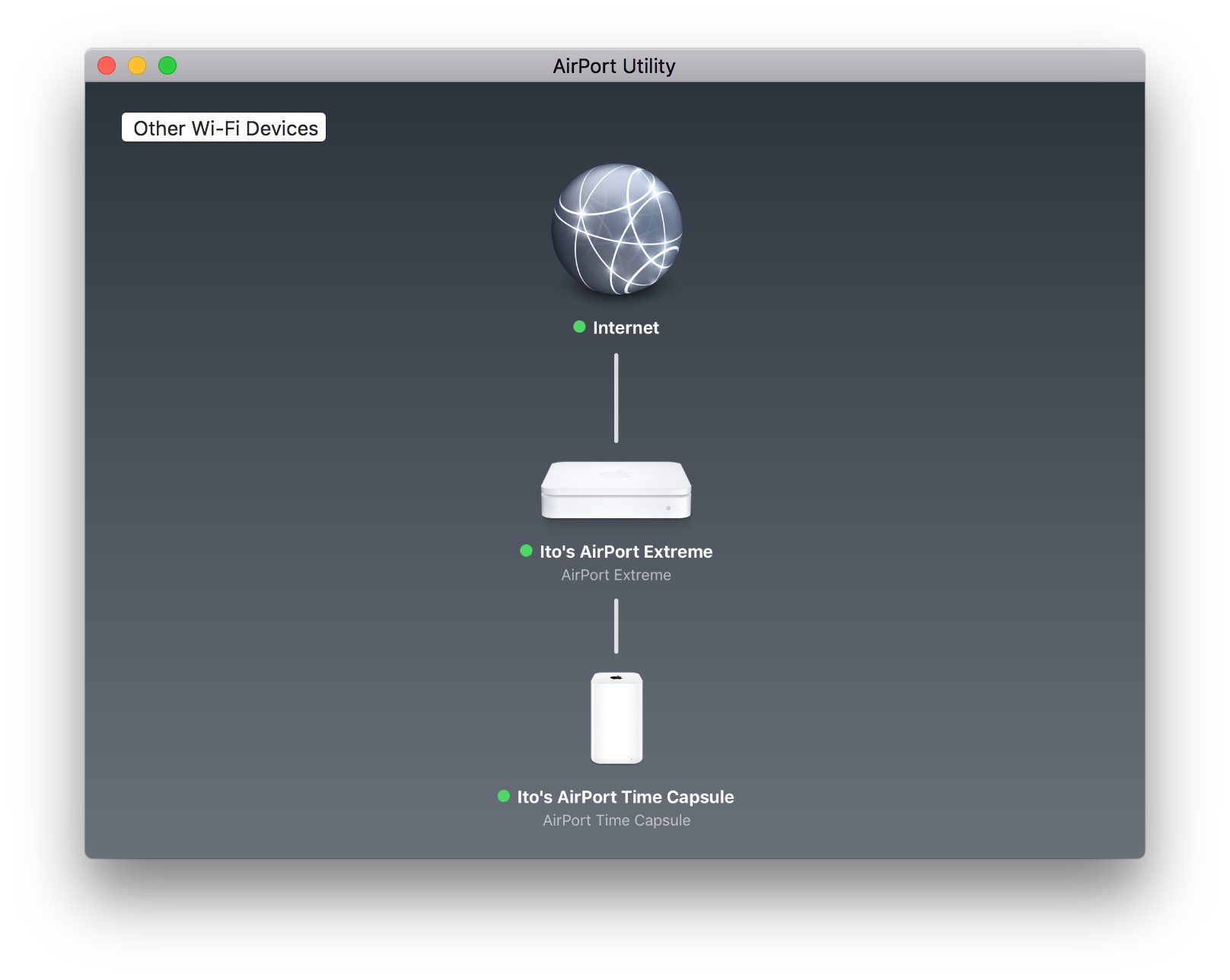
同时因为同为 AirPort,也便于本人通过 Apple 原生 App: AirPort Utility 进行管理(如图:Time Capsule 开启 Bridge 模式)。
之后的几天内,本人和室友在使用 A1408 的 WLAN 的过程中发现间歇性地出现网络不稳定的问题,发现在通过 SpeedTest 测速时,A1408 的测速结果不仅延迟比 Time Capsule 更大,且上下行速度都大打折扣。如图:第一项测速结果为 Time Capsule,其余项为 A1408。
Essays

浅谈 Final Cut Pro 的前世今生
Final Cut Pro 是 Apple 公司开发的一款面向专业视频非线性编辑的软件,这款软件对非线性编辑行业有着重大的影响。
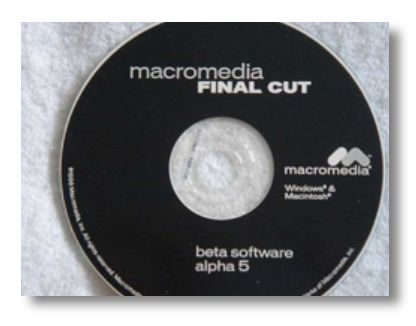
说起 Final Cut Pro 的诞生,不得不谈到 Final Cut Pro 的缔造者,同时也是 Premiere 缔造者的 Randy Ubillos 。Randy Ubillos 在完成早期 Premiere 的开发后,他的团队被 Macromedia 雇佣,帮助开发一款基于 Apple 的 QuickTime 播放器的,相比 Premiere 更专业的非线性剪辑软件 KeyGrip。因为 KeyGrip 的开发部分基于 Microsoft 给予 Macromedia 的合作伙伴 Truevision 的许可,所以 Macromedia 无法发布 KeyGrip,不然,将为 Truevision 招来许可问题。
另外 KeyGrip 于 1998 年更名为 Final Cut,希望将 Final Cut 出售,最终 Apple Computer(2010 年 WWDC 时,“Apple Computer” 正式更名为 “Apple”)买下了 Final Cut 的开发团队和软件,并继续开发。
Logs
read more
Unlock Mac over Apple Watch
本人在北京时间 9 月 21 日更新了 watchOS 3 与 macOS 10.12 ,尝试使用 Apple Watch 解锁 Mac 的新特性,遇到了一些问题,在此记录。
Sept. 21st, I updated my devices to watchOS 3 and macOS 10.12, trying Apple Watch’s new feature unlocking the Mac. And there were some matters occurred, which was the reason why I logged them here.
“系统偏好设置”内“安全性与隐私”设置中可以找到“允许 Apple Watch 解锁 Mac ”的勾选项,但仅在满足 watchOS 3 + macOS 10.12 + 开启“双重认证”/“两步验证”的情况下会显示。